Updated Dates

Empower And Awaken With Last Updated – WordPress Tips #23

Keeping Your Blog Up To Date Is Crucial For Credibility And SEO

Displaying the “Last Updated” date on your posts signals to your readers that your content is current and relevant. In this post, we’ll guide you through the process of enabling “Last Updated” dates on your WordPress posts and discuss the benefits of doing so.

Benefits Of Displaying “Last Updated” Dates

Enhanced Credibility And Trust

Displaying the “Last Updated” date assures your readers that the information is current and maintained. This builds trust and encourages them to return to your site for reliable information.

Improved SEO

Search engines favor fresh content. By updating your posts and displaying the “Last Updated” date, you can signal to search engines that your content is up-to-date, potentially improving your rankings.

Increased User Engagement

Users are more likely to engage with content that appears recent and relevant. Displaying the “Last Updated” date can increase the likelihood of shares, comments, and other interactions.

Reduced Bounce Rates

Visitors are more likely to stay and read through content that is current. Older, outdated content can lead to higher bounce rates as visitors look elsewhere for up-to-date information.

Accountability And Transparency

Showing when content was last updated demonstrates your commitment to providing accurate and current information. This transparency can enhance your reputation and authority in your niche.

How To Enable “Last Updated” Dates On WordPress Posts

Using A Theme That Supports Last Updated Dates

Many WordPress themes have built-in support for displaying the “Last Updated” date. Check your theme settings or documentation to see if this feature is available. Here’s how to enable it:

function show_last_updated_date($content) {
    $u_time = get_the_time('U');
    $u_modified_time = get_the_modified_time('U');
    if ($u_modified_time >= $u_time + 86400) {
        $updated_date = get_the_modified_time('F jS, Y');
        $updated_date_display = '<p>Last updated on ' . $updated_date . '</p>';
        $content .= $updated_date_display;
    }
    return $content;
}
add_filter('the_content', 'show_last_updated_date');

Navigate to Appearance > Customize in your WordPress dashboard.

Look for settings related to post metadata or post details.

Enable the option to display the “Last Updated” date.

Adding Code To Your Theme

If your theme doesn’t support this feature, you can add a snippet of code to your theme’s functions.php file. Here’s a simple way to do it:

This code adds the “Last Updated” date at the end of your post content.

Using A Plugin

If you’re not comfortable editing code, there are several plugins that can help you display the “Last Updated” date:

  1. WP Last Modified Info:
    • Install and Activate:
      • Navigate to Plugins > Add New.
      • Search for “WP Last Modified Info,” click Install Now, and then Activate.
    • Configure Settings:
      • Go to Settings > WP Last Modified Info.
      • Adjust the settings to display the “Last Updated” date in your preferred location.
  2. Simple Last Modified Timestamp:
    • Install and Activate:
      • Navigate to Plugins > Add New.
      • Search for “Simple Last Modified Timestamp,” click Install Now, and then Activate.
    • Configure Display Options:
      • The plugin settings allow you to customize where and how the “Last Updated” date appears on your posts.

Advanced Customization

For advanced users, you can further customize the appearance and functionality of the “Last Updated” date:

Custom CSS

Use custom CSS to style the “Last Updated” date. Add your CSS rules in the Appearance > Customize > Additional CSS section.

cssCopy code.last-updated { font-style: italic; color: #666; margin-top: 10px; }

Custom Shortcode

Create a custom shortcode to display the “Last Updated” date anywhere in your content:

phpCopy codefunction custom_last_updated_shortcode() { $u_time = get_the_time('U'); $u_modified_time = get_the_modified_time('U'); if ($u_modified_time >= $u_time + 86400) { $updated_date = get_the_modified_time('F jS, Y'); return 'Last updated on ' . $updated_date; } } add_shortcode('last_updated', 'custom_last_updated_shortcode');

Use the [last_updated] shortcode in your posts to display the date.

By using these methods and tools, you can effectively display the “Last Updated” date on your WordPress posts, ensuring your content remains fresh, engaging, and trustworthy for your audience.

Disadvantages Of Not Displaying “Last Updated” Dates

Perception And Engagement

"Last Updated" date for content on site

Without a “Last Updated” date, readers may assume your content is outdated, leading to a lack of trust in its accuracy and relevance. This can result in reduced user engagement, with fewer shares, comments, and interactions. Additionally, visitors may leave your site quickly, seeking more current information elsewhere, which can increase bounce rates and decrease the overall time spent on your site.

SEO And Transparency

Search engines prioritize fresh content, and not displaying the “Last Updated” date can make it harder for them to determine the recency of your content, potentially leading to lower rankings and less visibility in search results. Furthermore, not showing the “Last Updated” date can create a perception of a lack of transparency, causing readers to question your commitment to providing up-to-date and accurate information, ultimately harming your reputation and authority in your niche.

Enabling “Last Updated” dates on your blog posts is a simple yet impactful strategy to enhance your site’s credibility, improve SEO, and boost user engagement. By signaling to both readers and search engines that your content is current and well-maintained, you build trust and authority in your niche. Moreover, this transparency can reduce bounce rates and increase overall visitor satisfaction. Whether through theme settings, plugins, or custom code, implementing this feature is a worthwhile investment in the success and longevity of your blog.

Need Further Assistance?

WordPress Mobile optimization

If you need further assistance with enabling “Last Updated” dates or optimizing your WordPress site for better performance, 2xsales is here to help. Our team of experts specializes in web development, SEO, and digital marketing strategies tailored to boost your online presence. Contact us today to learn how we can support your website’s growth and ensure your content stays fresh, relevant, and engaging for your audience.

Further Reading

For more insights and detailed guides, check out these articles:


#22-WordPress-COMMENTS

How To Stop Comment Spam – WordPress Tips #22

Comment sections can enhance user engagement and foster community interaction on your website or blog. However, they are often targeted by spammers who leave irrelevant, malicious, or promotional comments. Keeping comment spam off your site is crucial for maintaining a positive user experience, safeguarding your site’s security, and protecting your reputation.

Keeping Comment Spam Off Your Site Is Crucial For A Positive User Experience

What is Comment Spam?

Comment spam refers to unwanted, irrelevant, or harmful comments posted on a website. These comments are usually automated and are intended to advertise products, spread malware, or manipulate search engine rankings. Common types of comment spam include advertisements promoting products or services without relevance to the post, malicious links leading to harmful websites or phishing pages, and irrelevant comments meant to distract or disrupt.

Comment spam

Comment spam can have several negative impacts. It clutters your comment section, making it difficult for genuine users to engage in meaningful discussions. Malicious links in spam comments can lead to malware infections or phishing attacks, putting your users at risk. Additionally, search engines may penalize sites with spammy content, affecting your site’s ranking. A spam-filled comment section can also damage your site’s credibility and trustworthiness.

Spam comments often share common characteristics, such as generic phrases or off-topic content, excessive use of links, repeated comments with minor variations, and strange or nonsensical usernames. For example, comments like “Great post! Check out my website for amazing deals: [spam link]” or “I love your blog! Visit [spam link] for more information” are typical spam comments.

Methods To Prevent Comment Spam

Manual Moderation

There are several methods to prevent comment spam. Manual moderation involves reviewing each comment before it is published, ensuring that only genuine comments appear on your site. Tips for efficient moderation include setting aside specific times for comment review, using a team of moderators for larger websites, and creating a list of common spam keywords and phrases. Spam filters and plugins can automatically detect and block spam comments. When choosing a plugin, consider factors such as ease of use, compatibility with your site, and effectiveness in blocking spam.

User Authentication

Requiring users to register before commenting can reduce spam. This method discourages spammers who prefer anonymity and makes it easier to manage and track users. However, it may also deter some genuine users who prefer not to register. Establishing clear comment policies helps set expectations for users. Your policies should outline what types of comments are acceptable and what will be considered spam. Display these policies prominently on your site to ensure users are aware of them.

Popular Options When Choosing a Spam Filter/Plugin

Akismet

A widely used WordPress plugin that automatically filters out spam comments.

Antispam Bee

An effective WordPress plugin that offers spam protection without using captchas.

reCAPTCHA

A Google service that helps differentiate between humans and bots, protecting your site from spam.

CleanTalk

A cloud-based spam protection service that blocks spam comments, registrations, and emails.

Advanced Techniques For Preventing Comment Spam

Advanced techniques for preventing comment spam include IP blacklisting, keyword filtering, and honeypot techniques. Blocking IP addresses associated with spam can prevent repeat offenders, but be cautious not to block legitimate users who may share the same IP address. Setting up filters to automatically flag or block comments containing specific keywords commonly used by spammers is another effective method. Regularly update your keyword list based on the latest spam trends. Honeypot techniques involve adding hidden fields to your comment form that are invisible to human users but visible to bots. If these fields are filled out, the comment is flagged as spam.

Consequences To Not Filtering Your Comments

The Dangers of Comment Spam

Not filtering out comment spam on your website or blog can have several negative consequences. Firstly, it deteriorates the user experience by cluttering the comment section, making it difficult for genuine users to engage in meaningful discussions. This can discourage visitors from participating in the community. Spam comments often contain malicious links that lead to phishing sites or malware downloads, posing significant security risks to users. Additionally, search engines may penalize websites with spammy content, resulting in lower search rankings and reduced visibility and organic traffic.

Impact on Credibility and Engagement

A spam-filled comment section can make your website look unprofessional and neglected, harming your credibility and trustworthiness and driving away potential customers or readers. The task of moderating comments becomes overwhelming when spam is allowed to accumulate, making it more time-consuming to sift through and remove spam, which takes away valuable time that could be spent on creating content or engaging with your audience. Genuine users may avoid leaving comments if they see that your site is overrun with spam, leading to lower levels of interaction and engagement. This reduced engagement is detrimental to building a community and fostering discussions.

Financial and Legal Risks

Additionally, spam comments can deter advertisers who want to associate their brands with high-quality, reputable sites, resulting in lost revenue opportunities. In some cases, spam comments may contain illegal content or infringe on copyright laws, exposing you to legal liabilities. To safeguard your site from these issues and maintain a thriving online community, it is crucial to implement effective spam prevention strategies.

Encouraging genuine interactions is key to a healthy comment section. Respond to comments promptly to show that you value user engagement. Regularly review and update your spam prevention measures to stay ahead of new spam techniques.

Keeping comment spam off your website or blog is essential for maintaining a positive user experience, protecting your site’s security, and preserving your reputation. By implementing these strategies, you can create a spam-free environment that encourages genuine user interactions. Start today by trying out some of the recommended tools and techniques.

Need Further Assistance?

WordPress Mobile optimization

At 2xsales.com, we are committed to helping you achieve a spam-free website. If you have any questions or need further assistance, please don’t hesitate to reach out to us. Let’s work together to protect your site and enhance your online community.

Further Reading

For more information on preventing comment spam and maintaining a healthy comment section, check out these articles:

These resources will provide you with additional tips and techniques to keep your comment section spam-free and engaging.

#21-WordPress-DATA

The Same Data Center to Better Secure Your Site – WordPress Tips #21

Your Website And Database In The Same Data Center Promotes Better Performance And Security

Your website and database in the same data center offer several benefits, including:

Reduced Latency 

Having both the website and database in the same data center can minimize latency. It can also improve the speed at which data is retrieved from the database.

Enhanced Security

Keeping your website and database in the same data center allows for centralized security measures, making it easier to protect against potential threats and vulnerabilities.

Simplified Management

Managing resources such as network connections, backups, and server configurations becomes more straightforward.

Improved Data Integrity

When your website and database are located together, there is less chance of data corruption due to network issues or communication delays between different locations.

Efficient Scaling Using The Same Data Center

Having both components in one location provides easier scalability as your traffic and storage needs grow, enabling seamless expansion of resources within a single environment.

Secure site with same data center

How To Ensure Your Website and Database are in the Same Data Center

1. Choose a web hosting provider that offers both website hosting and database hosting in the same data servicer.

2. During setup, select the same data center location for both the website and database hosting services.

3. If currently hosted in different data centers, consider migrating both your website and database to the same data center.

4. Use a content delivery network (CDN) that allows you to specify which data center is used for caching content. ( For those who are new or following this series refer to https://2xsales.com/cdn-on-wordpress/ for assistance with CDN ).

5. Please monitor the performance of your website and database to make sure they are functioning well together within the same data provider, seeking assistance from your web hosting provider if issues arise.

Popular Data Center Options That Offer Both Website And Same Data Centers

Microsoft Azure As Same Data Center

 Azure provides a variety of web hosting options with Azure App Service, along with managed database solutions like Azure SQL Database, all within the same data environment.

Bluehost

As a popular web hosting provider, Bluehost offers integrated MySQL databases with their shared and dedicated server plans, ensuring that both website files and databases are stored in the same location.

GoDaddy

GoDaddy’s web hosting solutions often include MySQL databases as part of their packages, allowing users to host their websites and databases in the same data center infrastructure.

Amazon Web Services (AWS)

AWS provides a comprehensive range of web hosting and database solutions, including Amazon EC2 for website hosting and Amazon RDS for managed database services.

Google Cloud Platform as Same Data Center

Google Cloud offers website hosting through Google Compute Engine and database services such as Cloud SQL, which can be hosted in the same data center for optimal performance.

Need Website Help?

If you’re looking to enhance your website and avoid the hassle of managing your data for your website. 2X Sales is here to assist. Our skilled team specializes in creating custom WordPress designs that reflect your brands identity and effectively engage your audience. Take a look at our WordPress web design services to see how we can enhance your presence. Don’t wait longer with a site; get in touch with us today and start the journey, towards a more secure, lively and successful website. Lets collaborate to unleash the potential of your WordPress site.

ad-agency

Further Reading

Cloud VS Data Center: https://www.businessnewsdaily.com/4982-cloud-vs-data-center.html

Data Center Explained: https://aws.amazon.com/what-is/data-center/#:~:text=A%20data%20center%20is%20a,stores%20any%20company’s%20digital%20data.

Why Data centers are important for Websites: https://www.flexential.com/resources/blog/what-is-data-center

WordPress GZIP Compression

GZIP Compression for Better Performance – WordPress Tips #20

Welcome back to our WordPress tips series! In this 20th post, we’ll cover how to enable GZip compression to speed up your WordPress site’s loading time. Other Tips to Speed Up WordPress Enabling GZip compression is just one way to improve your WordPress site’s loading speed. Some other tips we’ve covered previously in this series include: security and updating themes and plugins.

What is GZip Compression?

GZip is a file format and software application used for file compression and decompression. By compressing your website’s files, and can significantly reduce their size, leading to faster page load times. According to Yahoo, compression can reduce the size of the transferred response by up to 90%, minimizing download time, reducing data usage, and improving the time to first render of your pages.

How to Check if GZip Compression is Enabled

Before enabling GZip compression, you should first check if it’s already activated on your web server. You can easily do this using the online test tool from GiftOfSpeed. Simply enter your website URL and click the “Test” button. The tool will quickly analyze your site and tell you if GZip compression is enabled or not.

Methods to Enable GZip Compression in WordPress

GZIP Compression
#image_title

If the test tool shows that GZip is not enabled, you’ll need to activate it on your server. Here are a few methods to do this:

Enable GZip in cPanel

If your web hosting uses cPanel, you can enable GZip compression directly from there. Under the Software section, look for an option called “Optimize Website”. Clicking this will bring you to a page where you can enable compression.

Enable GZip in .htaccess File

You can also enable GZip by adding code to your .htaccess file. Edit or create the .htaccess file in the root directory of your WordPress site and paste in the following code:

Use a WordPress Caching Plugin

Many WordPress caching plugins can enable GZip compression for you. Some of the most popular ones that have this feature include:

Simply install one of these plugins, go to the plugin’s settings page, and look for the option to enable compression. It’s that easy!

WordPress GZIP

Additional Tips to Speed Up WordPress

Enabling GZip compression is just one way to improve your WordPress site’s loading speed. Some other tips we’ve covered previously in this series include:

  • Updating Themes and Plugins: Regularly update your themes and plugins to ensure optimal performance and security.
  • Minimizing HTTP Requests: Reduce the number of elements on your page to lower the number of HTTP requests.

Conclusion

By implementing GZip compression and following these other tips, you can dramatically improve your WordPress site’s performance and provide a better user experience for your visitors. If you need help enabling GZip compression or optimizing your WordPress site’s speed and performance, the experts at 2X Sales are here to assist you. We offer professional WordPress web design services to help your business succeed online. Contact us today to discuss your needs and see how we can help!

SEO

Optimize Your Site for Search Engines (SEO)- WordPress Tips #19

In today’s age it’s essential to ensure your website is optimized for search engines. With the internet serving as the go to platform, for information and shopping establishing a presence is key. Mastering SEO (Search Engine Optimization) can have an impact on your business by increasing traffic improving user experience and boosting visibility online.

SEO encompasses strategies and tactics designed to enhance your websites visibility on search engine results pages (SERPs). This involves optimizing your content, structure and performance to align with search engine algorithms. By doing your website becomes more appealing to search engines like Google resulting in rankings in search results.

One of the advantages of SEO is driving traffic. Unlike paid advertising that can be expensive and term organic traffic is sustainable and cost effective in the term. Visitors who discover your site through searches are often more engaged and likely to convert leading to a return, on investment (ROI).

SEO

Improving user experience is another element of SEO. “Search engines give preference to websites that provide a pleasant user experience. This involves having a fast-loading website, a design that’s friendly easy, to use navigation and top-notch content. By focusing on these aspects, you not enhance your search engine rankings. Also offer visitors a better experience, potentially increasing engagement prolonging visit durations and boosting conversion rates.

Improving your visibility through SEO also involves establishing credibility and trust with your audience. Websites that rank high in search results are often viewed as reliable and authoritative. Maintaining rankings can help solidify your brands reputation as a leader in your field attracting more potential customers and business opportunities.

This detailed guide delves into the significance of SEO, its numerous advantages and how it can significantly impact the growth and success of your business. We will explore areas such as keyword research optimizing on page elements, technical SEO practices, building quality backlinks and developing a content strategy. Furthermore, we will touch upon the trends.

Recommended approaches, in SEO to ensure that your website stays competitive in today’s rapidly changing digital environment. By grasping and applying SEO tactics you can position your business for success expand your market presence and outperform competitors. In today’s era it’s crucial for both small business owners and marketing experts to excel in SEO to succeed.

The Importance of SEO for Websites

Having SEO also known as Search Engine Optimization is really important to make sure that your website shows up well on search engines. By optimizing your site, you make sure that search engines rank your site higher on their results pages, which helps more people find it. When your site is easy to find on search pages potential customers are more likely to come across it of similar sites. Additionally effective SEO means improving parts of your website like content keywords, website structure and links to create a rounded strategy, for boosting your online presence.

Benefits of Search Engine Optimization for Businesses

SEO provides benefits, for businesses, such as boosting traffic enhancing user satisfaction and increasing conversion rates. By optimizing your websites SEO you can make it simpler for potential customers to discover your business leading to sales opportunities and fostering trust in your brand.

Moreover SEO plays a role in establishing brand credibility; users tend to have confidence, in websites that rank higher on search engine results pages. The enhancement of site speed, mobile responsiveness and user friendly navigation – all components of SEO strategies – contributes to a superior user experience that prompts visitors to spend more time on your site and interact more actively with its content.

Search Engine Optimization Significance in Digital Marketing

SEO plays a role, in marketing strategies. By tuning content using keywords and securing top positions on search engine results pages (SERPs) businesses can effectively connect with their target audience resulting in increased engagement and conversion rates. Implementing SEO tactics ensures that your website stands out in search results when potential customers search for products or services related to your business ultimately boosting the chances of attracting and converting visitors.

Additionally, SEO complements marketing initiatives like content marketing, social media marketing and pay per click advertising by ensuring that all online efforts align seamlessly. For example, quality SEO friendly content can enhance your content marketing endeavors by making your blog posts, articles and other content more visible to search engine users.

Similarly integrating SEO with social media marketing can extend the reach of your content as social media interactions and shares can have an impact on your sites SEO. Moreover, SEO improves the effectiveness of pay per click (PPC) advertising by enhancing your websites quality score potentially reducing costs, per click and securing ad placements. The collaboration, between SEO and PPC can improve how you allocate your marketing budget ensuring you get the most out of your marketing investments.

Essentially SEO forms the core of a marketing plan laying the groundwork for other marketing strategies to flourish. By refining your website for search engines, you establish an online presence that reinforces and enhances your overall marketing objectives.

SEO guarantees that your digital marketing initiatives are coherent, interconnected and ultimately more impactful in driving traffic, interactions and conversions. Moreover, a planned SEO approach can yield advantages by positioning your brand as an industry authority fostering sustained organic growth and increased visibility, over time.”

SEO and E-commerce: A Perfect Match

SEO holds importance, for e commerce websites as it plays a role in attracting more visitors and boosting sales. In today’s marketplace having a strong SEO strategy is essential for ensuring that your products are easily discoverable, in search results thereby increasing the chances of converting visitors into customers. Additionally optimizing product pages enhancing website structure and improving mobile user experience all work together to create a shopping journey that can greatly enhance sales and customer satisfaction.

The Role of Search Engine Optimization in Business Growth

The influence of SEO, on the growth of a business is significant as it boosts the visibility and credibility of the brand. Achieving rankings in search engines can result in leads and customers, which ultimately drives business growth and solidifies your position in the market.

Additionally, SEO offers results that allow companies to adjust their strategies based on data and performance indicators. This flexibility enables businesses to stay ahead of industry trends and competitors. Consistent SEO efforts also contribute to growth by ensuring a flow of organic traffic, which is crucial, for long term success.

Additional Insights on Search Engine Optimization

For businesses aiming to attract customers focusing on SEO is essential. This involves optimizing your website so it shows up in search results, which helps draw in visitors and boosts foot traffic to physical stores.

Local SEO tactics include claiming and optimizing your Google My Business profile ensuring all your business details are correct, on directories and encouraging customer feedback. Additionally creating content tailored to the area and using keywords can increase your visibility in the community attracting more customers from the region.

When it comes to SEO it goes beyond content and keywords to concentrate on enhancing the technical aspects of your website like speed, mobile compatibility and secure connections (HTTPS). These elements have an impact on where you show up in search engine results pages (SERPs).

Making sure your website has organized code setting up a XML sitemap and speeding up server response times are key parts of technical SEO. Resolving issues like links, duplicate content and crawl errors can enhance how search engines index your site ultimately improving its performance and ranking.

A solid content strategy is crucial for SEO, as high quality content that’s relevant is key. Continuously updating your website with content that addresses what your audience wants and questions can help boost your search rankings while keeping visitors engaged.

This approach involves conducting, in depth keyword research to discover the terms that your potential customers are looking for and smoothly integrating these keywords into your content. Moreover using a variety of content formats like articles, videos, visual aids and podcasts can cater to audience preferences. Boost user engagement. Ensuring that your content is well organized, educational and valuable can help establish your website as an authority in your field.

Analytics and Reporting; Making use of tools such as Google Analytics and Search Console assists in monitoring your SEO performance. These insights empower you to make informed decisions to enhance your strategy further. Tracking metrics like traffic, bounce rate, conversion rate and keyword rankings offers an insight into how well your site is performing.

Additionally setting objectives and observing user actions on your website can uncover areas, for improvement and growth opportunities. Regularly analyzing this data enables you to tune your SEO approaches address any issues promptly. Consistently improve the visibility and effectiveness of your site.

Further Reading about SEO

1. Moz: The Beginner’s Guide to SEO

2. Search Engine Land: What is SEO

3. Google Search Central: Search Engine Optimization (SEO) Starter Guide

4. Ahrefs SEO Basics: Beginner’s Guide to SEO Success

5. Backlinko: SEO Techniques That Actually Work in 2023

By leveraging these resources and integrating their insights into your strategy, you can optimize your site for search engines effectively and ensure your business thrives in the competitive digital landscape.

Need WordPress Help?

If you’re looking to enhance your website and avoid the hassle of managing WordPress, 2X Sales is here to assist. Our skilled team specializes in creating custom mobile friendly WordPress designs that reflect your brands identity and effectively engage your audience. Take a look, at our WordPress web design services to see how we can enhance your presence. Don’t wait longer, get in touch with us today and start the journey, towards a more mobile friendly, lively and successful website. Lets collaborate to unleash the potential of your WordPress site. Contact us.

WordPress Mobile optimization

#18-WordPress-SPEED

WordPress Audits – WordPress Tips #18

WordPress Audits is essential, in todays digital era; because it improves website’s speed increases user happiness while also influencing your SEO efforts. A slow website can lead to bounce rates lower search engine rankings and a subpar user experience. On the other hand, a fast-loading webpage can drive user engagement improve customer retention, and increase conversion rates. This article explores why it is important to evaluate your site’s speed and performance the steps involved in doing and additional tips to ensure your website operates smoothly and efficiently.

wordpress audits

Website Audits for Better Speed and Performance

Website speed and performance are factors in providing a user experience. Studies by Akamai and Gomez.com reveal that about half of users expect a webpage to load within 2 seconds or less with many choosing to leave sites that take than 3 seconds to load. This highlights the significance of maintaining loading speeds on your website. Slow loading times can frustrate visitors leading them to leave before the content fully loads. This does not result in lost traffic. Also has a negative impact, on SEO since search engines prefer faster websites when ranking them.

Hence understanding the importance of maintaining optimal website speed is crucial, for achieving success, in the world. Users tend to engage more with websites that load swiftly leading to bounce rates and longer session durations. This positive user engagement signals to search engines that your website holds value and relevance.

Strategies such, as cutting down on redirects, refining images, and enhancing server response times can effectively lower bounce rates. Maintain user engagement.

Ensure that you use the file formats, such, as WebP for web images, and make sure to implement images to adjust their size for different devices.

Enabling compression with Gzip, a software tool for file compression can significantly reduce the sizes of your HTML, CSS, and JavaScript files by up to 70%. This compression helps minimize the data transferred between your server and the user’s browser resulting in load times. It’s particularly beneficial for users with internet connections as compressed files download faster.

To speed up load time consider combining files to decrease the number of HTTP requests. Every element on your webpage. Images, scripts, and stylesheets. Requires an HTTP request. By merging files into one using methods like CSS sprites or concatenating JavaScript files you can reduce requests. Enhance load times. Additionally limiting external resource usage and employing loading for essential scripts can further boost performance.

Tools for Optimizing WordPress Audits

Google PageSpeed Insights offers suggestions for speeding up a website’s loading time. It assesses both desktop versions of sites. Provides recommendations, for enhancement. PageSpeed Insights assesses aspects of your website’s performance such as server response times, resource sizes, and rendering times. It then generates a score. Offers suggestions, on how to improve each area.

People anticipate smooth interactions, on websites. Any delay can annoy them and lead them to leave. It is crucial to ensure loading times to provide a user experience and retain visitors. Improving the performance of devices involves using design, compressing images, and reducing the reliance, on heavy scripts and resources.

Importance of Regular Site Audits for Long-term Performance

Including WordPress audits to assess site speed and performance is crucial for your SEO strategy. Utilize tools like Google PageSpeed Insights to analyze and enhance your website’s speed. Consistent WordPress audits help you address any issues that may impact your site’s performance. By monitoring and optimizing your website, you can uphold performance offer a superior user experience, and achieve better search engine rankings.

WordPress Audit Key Takeaways

  • Regularly evaluating the speed and performance of your website is crucial, for enhancing SEO and providing a user experience. These assessments help pinpoint areas where your site may be falling short enabling you to make necessary tweaks to keep it running smoothly. By keeping an eye on the performance of your site, you can ensure it meets standards and user needs ultimately boosting its search engine rankings and offering users a seamless browsing experience.
  • Making enhancements such as implementing browser caching and optimizing CSS can greatly improve your website’s performance. Browser caching allows visited pages to load quickly by storing copies of files locally. On the other hand, CSS optimization involves refining your CSS code to remove any duplicate styles, which can significantly reduce loading times. These strategies do not speed up your website. Also enhances its overall efficiency and responsiveness.
  • Prioritizing mobile optimization is vital in light of the growing use of internet access. With over half of global internet traffic originating from devices ensuring that your site is optimized for users is essential. This includes using design optimizing images, for screens and ensuring fast loading speeds on mobile networks.
  • Having a website that works well on devices can make it easier for users to navigate keeps them engaged and boosts how your site ranks in mobile search results.
  • Tools, like Google PageSpeed Insights give feedback and practical tips for speeding up your site. These tools look at parts of your website like how it loads, the size of resources, and server response times. They then offer suggestions on how to improve each area. By following these tips, you can make changes that result in load times and a smoother website experience.
  • Simple tweaks, such as optimizing images and reducing HTTP requests can greatly speed up your site’s loading time. Optimizing images means compressing them to reduce file size without losing quality – this helps pages load faster. Reducing HTTP requests involves combining files and minimizing resources used on the site, which cuts down on data that needs to be transferred and speeds up loading times. These small adjustments can have an impact, on how your site performs and how satisfied users are.

External Links for WordPress Audits

1. Google PageSpeed Insights Tool: Utilize Google’s PageSpeed Insights to obtain detailed insights and actionable recommendations to enhance your website’s performance.

2. Akamai Study on Site Speed: Refer to the Akamai study on how site speed impacts user retention and engagement.

3. Pingdom Website Speed Test: Check out Pingdom’s Website Speed Test for a thorough analysis of your site’s loading speed.

4. YSlow for Browser Performance: Improve your site’s performance with YSlow, a tool that analyzes web pages and suggests ways to improve their speed.

5. CSS Optimization Guide by Google: Learn how to optimize your CSS delivery with Google’s guide to faster page rendering.

#17-WordPress-SSL

The Top SSL Certificates – WordPress Tips #17

In today’s world, where cyber threats loom large safeguarding your websites security is paramount. Opting for SSL certificates isn’t a choice but a must have for any online business. This article delves into the fundamentals of SSL certificates compares leading options and highlights their role in strengthening website security. Be sure to check out our other WordPress tips in this series like WordPress staging benefits and Hotlinking.

SSL certificates play a role in encryption shielding data like user details, passwords and payment information from potential interception by malicious entities. By securing the communication between your site and its visitors SSL certificates help thwart data breaches and nurture trust among your users. Beyond data protection, SSL certificates are essential for adhering to standards and improving the visibility of your site on search engines.

We will explore the types of SSL certificates, on offer – Domain Validation (DV) Organization Validation (OV), and Extended Validation (EV) certificates – detailing their advantages and ideal use scenarios. Additionally, we will conduct a comparison of rated SSL certificate providers based on their offerings, pricing structures, and customer service to assist you in making an informed choice.

It’s crucial to understand the significance of SSL certificates and keeping up, to date with the SSL technology advancements to maintain an online presence. Whether you’re a business owner. Overseeing a large e-commerce platform selecting the appropriate SSL certificate is vital for protecting your website and ensuring the trust and safety of your users.

SSL Certificates

An Overview of Secure Socket Layer (SSL) Certificates

Secure socket layer certificates play a role in establishing a digital environment. These certificates encrypt data exchanged between a web server and a browser safeguarding information such as credit card details and login credentials from access. Despite their functionality, the primary purpose of secure socket layer certificates (SSL) is to provide a channel for transmitting data over the Internet.

SSL certificates are particularly important as they not protect information but also validate your sites credibility. According to DigiCert, even websites that don’t handle data should implement SSL to secure all activities. Additionally, GlobalSign stresses that SSL is essential for encryption ensuring that intended recipients can access transmitted data.

Major browsers like Google Chrome promote SSL adoption by labeling SSL sites, as insecure which can impact user trust and site credibility. This project emphasizes the significance of SSL certificates, in maintaining an presence.

Apart from encryption SSL certificates have a role in building user confidence and improving SEO rankings. Major search engines like Google give priority to secure websites in their search results making the implementation of SSL a strategic move to enhance visibility. Moreover, SSL certificates help prevent cyber threats such as phishing and man in the middle attacks further bolstering the security of transactions and communications.

There are types of certificates to choose from each catering to requirements. Domain Validation (DV) certificates provide encryption. Are commonly used for smaller websites or blogs. Organization Validation (OV) certificates provide a level of security by confirming the authenticity of the company linked to the website. On the hand Extended Validation (EV) certificates offer security and trust by showing the organizations name in the web browsers address bar, which can greatly boost user trust and confidence.

When picking an SSL certificate, it’s crucial to assess your websites security needs. Trusted providers, like DigiCert, GlobalSign and Let’s Encrypt offer a variety of safety certificates tailored to requirements and budgets. Investing in the SSL certificate not safeguards your website but also enhances its credibility and reliability.

Keeping up to date with the advancements, in technology is vital for ensuring online security. Consistently renewing your SSL certificates. Following recommended protocols, for website security can reduce the vulnerabilities to cyber-attacks. By giving importance to SSL integration companies can establish a space for their customers and establish a solid basis of trust and dependability.

Top SSL Certificates for Enhancing Website Security

Choosing the right SSL certificate involves evaluating various providers known for their reliability and the robustness of their security features:

1. DigiCert: Offers a range of SSL certificates known for strong encryption and extensive validation options. They are widely recognized for their enterprise-level security solutions.

2. Comodo: Known for providing a variety of affordable SSL certificates, making them ideal for small businesses looking to secure their online transactions.

3. Symantec (Now part of Norton) : Offers premium SSL certificates with extensive security features, catering to larger businesses with higher security demands.

4. **GeoTrust**: Provides quick and effective SSL certificates that cater to both small businesses and large corporations, ensuring broad compatibility and strong encryption.

5. GlobalSign: A globally recognized SSL provider that offers scalable SSL solutions suitable for securing complex multi-domain environments.

For an in-depth comparison of these SSL providers, check out SSL Shopper’s SSL Certificate Comparison

Key Factors to Consider When Choosing an SSL Certificate

Selecting the best SSL certificate for your website involves several critical considerations:

  • Encryption Strength: Opt for certificates that offer 256-bit encryption, providing robust security against data breaches.
  • Validation Levels: Consider certificates that offer extended validation (EV) as they undergo a rigorous authentication process, increasing the trustworthiness of your website.
  • Provider Reputation: Select a certificate authority with a solid reputation for reliability and customer support. Trustworthy providers enhance your website’s credibility.
  • Cost vs. Benefit: Analyze the cost relative to the security features offered. Investment in a high-quality SSL certificate translates to better security and enhanced trust.

For a detailed guide on SSL certificate features, visit TechRadar’s Best SSL Certificate Services.

Need Help?

Are you overwhelmed by all the security necessary to protect your website? 2X Sales is here to help. We understand SSL certificates, their function, and how to harness their power. SSL certificates are also necessary for a good Google ranking. Contact us today to learn more.

SSL certificate help
mobile optimization

Mastering Mobile Optimization: – WordPress Tips #16

Mastering Mobile Optimization in this era of technology is crucial as smaller devices are more commonly used than desktop computers. Companies should prioritize enhancing their websites to cater to users thus enhancing their experience and maintaining an edge in the market. Without this optimization, they could miss out on a portion of their audience. Mobile optimization goes beyond just resizing images or moving content around.

It involves understanding how users interact with the site leveraging device capabilities keeping up with tech trends improving loading times boosting SEO and implementing design. Keeping up with these practices and being proactive, in optimization is crucial for businesses to succeed in today’s paced digital world.

The Importance of a Mobile-Friendly Website

Having a website that works well on devices has an impact, on how engaged users are and where your site shows up in search engine results. Google prioritizes websites that are optimized for mobile with its indexing making it clear how important it is to have a mobile-friendly site. When your site is easy to use on mobile it creates an experience for users lowers the number of people who leave your site away and keeps visitors around longer – all of which can help your website perform better in search engine rankings. If you want to learn more about how Google approaches indexing you can check out Googles Webmaster Blog.

Having a website that works well on mobile isn’t about search rankings; it also makes a difference in how satisfied users are and what they think of your brand. People expect to have time to use websites no matter what device they’re on. Having a mobile-friendly site means anyone can access your content easily. This inclusivity does not boost interaction. Also helps improve how people see your brand.

As buying and interactions happen online having a website that works well on mobile is crucial for businesses selling things online. When the experience of browsing on their phones or tablets is smooth and intuitive people using those devices are more likely to make purchases – which means optimizing for mobile plays a role, in increasing sales and revenue.

Mobile Optimization for a Better User Experience

To create a better mobile user experience (UX) it’s essential to grasp the factors that contribute to smooth navigation and interaction, on mobile devices. Responsive design plays a role in ensuring your website adapts to various screen sizes improving usability. Important UX principles include simplifying menus streamlining content and designing touch interfaces. The goal is to make the mobile user journey intuitive reducing the need for zooming, pinching, or excessive scrolling.

Moreover, visual hierarchy holds importance in mobile UX design. By organizing content based on its relevance users can easily locate what they need. This entails using fonts for headlines employing contrast for readability and strategically positioning buttons for effortless navigation. As mobile users often engage with websites briefly providing access, to information can greatly enhance their overall experience.

Components of Responsive Design for Mobile Optimization

Creating websites requires both responsive design and mobile-first design. Responsive design ensures your website functions, on all devices while first design focuses on optimizing for smaller screens to enhance performance on mobile devices. This approach emphasizes the importance of understanding how mobile users engage with your site giving priority to speed and navigation. For an exploration of these concepts visit Mozilla’s Developer Network.

In addition to the principles of mobile-first design, it’s crucial to pay attention to adaptive images and media queries. Adaptive images adjust their resolution based on the device’s screen size and resolution for loading times and clearer displays. Media queries enable the application of CSS rules depending on device characteristics, like width, height, or orientation. Designers can enhance the user experience by employing these techniques to create tailored experiences that cater specifically to user’s needs.

Website Design and Development for Mobile Optimization

Mobile web design and development must focus on speed and efficiency. Using optimized images, minimalistic design, and asynchronous loading can help speed up page loads, which is crucial for keeping mobile users engaged. The development process should also consider the constraints and capabilities of mobile devices, using tools and frameworks suited for mobile performance.

Moreover, the importance of touch interfaces in mobile web development cannot be overlooked. Designing for touch means larger buttons, simplified navigation, and considering the ergonomics of how users hold their devices. Mobile web development should also prioritize accessibility, ensuring that websites are usable by people with various disabilities.

This includes implementing features like screen reader compatibility, sufficient color contrast, and easily navigable touch targets. These considerations not only make your website more inclusive but also improve overall usability for all users.

How Mobile Optimization and Mobile SEO Work Together

Mobile optimization is intrinsically linked to mobile SEO. Optimizing for mobile involves not just aesthetic design and layout but also focuses on technical aspects such as site speed and mobile keyword optimization. Effective mobile SEO strategies involve using concise titles and meta descriptions, faster loading speeds, and mobile-friendly content. For a deeper understanding of how mobile optimization impacts SEO, visit Search Engine Land.

Moreover, focusing on SEO holds significance, for individuals using mobile devices as they frequently seek nearby establishments or services while out and about. By tuning your website for search queries, you can notably boost your online presence and draw in more local visitors.

This entails refining your Google My Business profile incorporating region keywords and prompting customer feedback. Furthermore, integrating data markup can enhance search engine’s comprehension of your content. Heighten the likelihood of being featured in enriched results, like local listings and informative panels.

Enhancing Mobile Optimization: Speed and Load Time

Speed is paramount in mobile website performance. Factors such as server response time, image compression, and CSS/JS optimization play critical roles. Tools like Google’s PageSpeed Insights can provide valuable recommendations to improve your mobile site’s loading times. Visit Google PageSpeed Insights to analyze your website’s performance.

In addition to the basic strategies for enhancing speed, leveraging browser caching and reducing server response times can have a significant impact. Browser caching stores static resources, allowing pages to load faster on repeat visits. Reducing server response times involves optimizing your server configuration and using Content Delivery Networks (CDNs) to distribute content closer to users geographically. Minimizing third-party scripts and reducing the number of HTTP requests can also help streamline your website’s performance, making it more responsive and user-friendly on mobile devices.

Boosting Conversions with Mobile Optimization

To increase the number of people taking action on your site make sure that visitors can easily navigate through it and locate the prompts to act. Streamlining the process, for making a purchase and adjusting forms for devices can significantly enhance the rate at which visitors convert into customers.

Additionally, personalization is key to improving conversion rates on sites. By using data analysis and tracking user behavior businesses can provide tailored content and suggestions that align with preferences. This personalized approach not enriches the user experience.

Also boosts the chances of converting visitors into customers. Incorporating strategies, like SMS marketing and push notifications tailored for users can also boost levels and encourage repeat visits leading to higher conversion rates.

Businessman using mobile device with blank screen mockup friendly

Steps to Achieve a Mobile-Friendly Website

To build a mobile website that works well on smartphones and tablets start by checking how your current site performs on devices. Use design adjust images and content for viewing and prioritize mobile users in your design process. Keep testing and refining your site to meet the mobile usability standards and ensure it runs smoothly.

It’s also important to keep up with the trends and technologies, in mobile web development. Your website should be flexible enough to adapt to devices and changing user habits. Gathering feedback from users regularly can help you identify areas for improvement and guide decision making based on data to enhance the mobile user experience. By investing in optimizing your site for users you not enhance user satisfaction but also set your business up for success, in the ever-evolving digital world.

Need WordPress Help?

If you’re looking to enhance your website and avoid the hassle of managing WordPress, 2X Sales is here to assist. Our skilled team specializes in creating custom mobile friendly WordPress designs that reflect your brands identity and effectively engage your audience. Take a look, at our WordPress web design services to see how we can enhance your presence. Don’t wait longer, get in touch with us today and start the journey, towards a more mobile friendly, lively and successful website. Lets collaborate to unleash the potential of your WordPress site. Contact us.

WordPress Mobile optimization
#15-WordPress-GUTENGURG

The Power of Gutenberg Editor – WordPress Tips #15

What is the Gutenberg Editor?

Unlock new possibilities in digital content management with the Gutenberg Editor. Improve your web content management process, boost your content strategy, and easily manage digital content using this innovative tool. This post will introduce you to the robust opportunities the Gutenberg Editor offers in content management, from content creation to content storage and publishing.

Every creator envisions having a tool that simplifies content management and the Gutenberg Editor excels in this regard. Serving as a solution, for content management, web editing organization, publishing, storage and creation within WordPress it stands at the core of the platform. As a component of this used CMS software, it has revolutionized how content is managed on WordPress for both business and personal blogs.

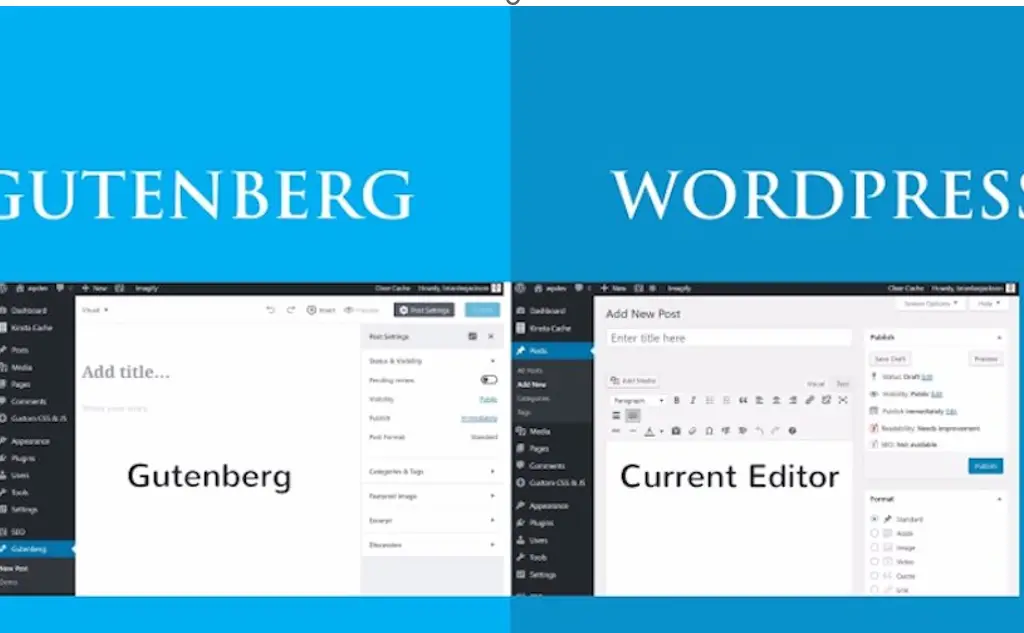
Named after Johannes Gutenberg, the inventor of movable type printing press over five centuries ago the Gutenberg Editor is often hailed as the “future of content editing.” It was officially introduced to all WordPress users with the release of WordPress 5.0 in 2018. Since then, its adoption has been steadily increasing as more content managers acknowledge its benefits, for content handling.

Gutenberg Editor
This Photo by Unknown Author is licensed under CC BY-SA-NC

Main Features of Gutenberg Editor

Block Based Structure; Each element of content. Whether text paragraphs, images, headings, quotes or videos. Is treated as a block that can be manipulated separately. This approach greatly simplifies tasks related to editing organizing and publishing content.

Gutenberg Enhanced User Interface (UI)

The editor offers an interface that ensures a smooth process, for creating content without distractions.

Content Workflow

Gutenberg Editor simplifies the transition from creation to publishing monitoring each stage of content lifecycle management seamlessly.

Empowering Developers

Gutenberg Editor presents a framework that enables developers to craft custom blocks enhancing the effectiveness of content strategies.

According to Matt Mullenweg, the creator of WordPress.com “We chose the name Gutenberg for a purpose.” The editor isn’t a tool, for crafting content; it’s also designed for efficient and easy content management.

Understanding its features can help you manage your content more effectively, whether it’s updating, curating, strategizing, collaborating, delivering, governing, or tracking your content. So, get ready to dive deeper into the Gutenberg Editor, revolutionizing the way you manage your content. Why Use Gutenberg for Content Management? Why choose an ordinary tool for your content when you can opt for something extraordinary like Gutenberg? Let’s dive into why Gutenberg is the stellar choice for content management. It’s time to dispel the myth that content management can’t be creative, efficient, and convenient—all at once.

Benefits of Gutenberg Editor for Content Management Block-Based Editing

Gutenberg’s key feature – its block-based editor – gives users immense flexibility. You can edit sections, move them around, or reuse them, making content editing a piece of cake. As WP Beginner underscores, you can transform and manipulate each piece of content just as if ‘it was a block of clay. Effortless Content Organization: Gutenberg allows content curating to fit the readers’ understanding.

 A strategic layout is the weapon that makes your content crisp, engaging, and digestible, thus enhancing your content strategy. Gutenberg offers a user experience by introducing the ‘What You See Is What You Get’ (WYSIWYG) feature, which eliminates the need, for intricate code alterations. This simplification of content management ensures that even individuals, without expertise can navigate with ease.

SEO Friendly


Your content deserves maximum visibility; Gutenberg aids your SEO optimization efforts. It acts like a CMS software steroid creating lean HTML code, thus improving your site speed and potentially boosting your search engine ranking. According to Kinsta, over 5 million websites have adopted Gutenberg since its inception in 2018, proving its efficacy. A survey by WordPress indicated that Gutenberg’s usage saw a surge of 42% in the past year, with user satisfaction touching 86%.

Why Gutenberg Editor Stands Out

Content is king, but management is the queen who runs the household. Gutenberg for content management is like a chessboard. It lets the king (content) retain its glory while the queen (management) makes the efficient moves.” Above all, if content collaboration, content delivery, content governance, and content tracking matter to you, Gutenberg offers these too. Comprehensively, Gutenberg personifies your talented content manager, polishing rough edges, perfecting the flow, and creating a masterpiece of your content journey.

Transitioning from Traditional CMS to Gutenberg Editor

What You Need to Know Are you struggling with the idea of transitioning from a traditional CMS to Gutenberg? Don’t fret! This guide will paint a revealing picture of the features, benefits, and key considerations you need to bear in mind when taking the leap towards content management through Gutenberg.

Key Stages in Transitioning Content Creation

With Gutenberg, the content appears as ‘Blocks’ which can be anything – paragraph, image, quote, etc. This makes the content management process flexible. Content Editing: Gutenberg offers a clean, distraction-free environment to edit your web content. Plus, moving blocks around is much easier than shuffling traditional CMS elements.

Content Publishing

Gutenberg allows you to preview your post as it will appear when it goes live. This feature ensures your site’s “look and feel” always meet your expectations. Content Storage: Instead of entangling yourself in complicated backend code, Gutenberg blocks are reusable – an excellent feature for documentation management. Benefits of Transitioning to Gutenberg According to a study from digital content management firm XYZ, Gutenberg excels in content collaboration and content delivery.

They reported a 35% increase in efficiency when businesses upgraded to Gutenberg from traditional CMS software. “Nothing matches Gutenberg when it comes to planning, organizing, and controlling your content workflow. It’s like having an efficient content manager at your service.” – Jenny Harris, esteemed content strategist. Indeed, the transition does require some levels of content adaptation. But when you’re secured with Gutenberg’s enriched content governance, superior content tracking, and potential for increased SEO rankings, the benefits are well worth the effort!

External Links for Further Reading

Need help with WordPress?

Do you need help with WordPress content creation, design, or support? Contact us today.

WordPress Help

1. Explore the official documentation for the Gutenberg Editor and learn about its features in detail: Gutenberg Editor Official Documentation

2. A comprehensive guide from WPBeginner on how to use the Gutenberg Editor: WordPress Gutenberg Guide

3. Understand how to make the most of Gutenberg with Kinsta’s in-depth guide: Kinsta’s Guide on Gutenberg

4. Smashing Magazine’s complete guide to the Gutenberg Editor for content management: Smashing Magazine’s Complete Guide to Gutenberg

5. Insight on how the Gutenberg Editor can help improve your site’s SEO: Search Engine Journal on Gutenberg SEO

WordPress Staging

WordPress Staging Benefits – WordPress Tips #14

Making sure that website updates run smoothly without causing any disruptions, to the site is crucial for maintaining a notch online presence. A WordPress staging environment plays a role in achieving this goal. This article delves into the details of carrying out updates in a staging environment to ensure a transition when those updates are implemented on the live site.

What exactly is a WordPress Staging Environment?

Think of a staging environment as a playground where your website can test out features or updates before they are presented on the live platform. It’s like a dress rehearsal where everything unfolds like it would during the event but with no risk of mishaps in front of the audience. WordPress staging is a copy of your live website that is specifically used for testing new website updates.

Why is this “sandbox” important? In terms it acts as your safety net against potential digital disasters. Picture implementing an update directly on your site only to discover that it disrupts the user experience—cue dramatic music! With a WordPress staging environment in place this worst-case scenario remains that—a scenario—as you can address any issues, in this controlled space without impacting your visitors or business operations. In a survey, by WP Engine, in 2021 it was found that 62% of developers regularly utilize a staging website to test updates before applying them to live websites.

“If you’re not testing in a WordPress staging environment, you’re testing in live production. And testing in production is really just gambling.”

Here’s a quick rundown of what a staging environment typically involves:

  • Exact replica of your live website 
  • Safe space to test web updates, including content updates, plugin updates, and theme updates
  • Ability to perform website performance updates, security updates, and SEO updates
  • Identifying and correcting website bug fixes and site error fixes before they go live

For example, imagine you’re gearing up for a big website revamp, with a brand design some visual tweaks and various functional enhancements. Trying out these modifications, on the site could spell trouble. Instead, it’s wise to carry out all these updates in a staging environment to ensure integration and expected performance.

WordPress Staging

Benefits of Using a WordPress Staging Environment for Website Updates

When preparing to launch changes, on your website it’s wise to try them out in a testing environment like rehearsing a play before the big premiere. Just as actors aim to avoid mistakes on stage you wouldn’t want visitors encountering glitches or site outages due to updates. Here are some strong reasons why using a staging environment is crucial for smooth website updates;

Prevents Live Site Downtime

Picture this scenario; Your online store is in the midst of its sales period. You decide to implement some quick updates live. Suddenly the site goes down. With WordPress staging you can test changes without putting your site at risk of downtime. According to findings from Kinsta the average cost of application downtime amounts to $5,600 per minute – a sum that can be saved by ensuring your live site remains unaffected, during updates.

Finding and fixing bugs before releasing updates is crucial.

Remember the Y2K scare? It’s always better to address those issues. Using a staging environment allows you to identify and resolve problems without causing an uproar. As the saying goes, “Fail to plan plan to fail.” Taking measures saves you from dealing with problems later on.

Making sure that new updates work seamlessly with existing features and plugins is key.

Trying to force a peg into a hole is never a good idea – just like when updates clash with your current setup. A staging environment helps you test compatibility ensuring that everything works harmoniously together for a hassle web experience. In the words of Steve Jobs “You learn a lot, about yourself by working with tools.”

Keeping your site running smoothly is essential for enhancing user experience.

Nothing frustrates visitors more than encountering slow websites. According to research by Think with Google over half of users abandon sites that take, then three seconds to load. Ensuring that your updates don’t disrupt site functionality not maintains but also enhances user experience keeping your audience engaged and reducing bounce rates.

Common Website Updates to Test in a WordPress Staging Environment

Ah the staging environment – a playground where website updates can roam freely without risking any mishaps, on your site. Whether you’re making adjustments or embarking on a web makeover the staging environment is your trusted companion. Lets explore the essential website updates that should always undergo testing in this space before being unleashed

Content Management Systems (CMS) Updates

CMS platforms like WordPress serve as the foundation for websites. Regular updates introduce features enhance security and boost performance. However be cautious! An update that behaves well in your staging environment might cause issues in production.

SEO Updates

SEO acts as the ingredient that propels your site to higher search engine rankings. But proceed with caution; modifying keywords or meta tags without testing could harm your search visibility.

Plugin Updates

Plugins enhance functionality and aesthetics on your site. Nevertheless using incompatible plugins can lead to chaos. It’s crucial to test them in your staging environment to avoid any surprises down the road. As, per WPBeginner 35% of WordPress site failures result from conflicts.

Theme Updates

Themes define the identity of your website and its overall appearance. Updating your design can bring improvements. Its essential to test thoroughly to avoid any unexpected issues. Remember, the visual appeal of your website is, on the line

Security Updates

Ensuring your website is secure is a must. Security updates play a role in safeguarding your data and maintaining trust. WordPress staging allows you to check that these updates don’t disrupt functions on your site.

Website Performance Updates

Enhancing site speed and performance can greatly enhance user satisfaction. Slow websites tend to have bounce rates compared to fast loading ones. Testing these updates guarantees that your efforts in optimization yield results.

Content Updates

Keeping your site content fresh and up to date is crucial. Whether you’re publishing a blog post refreshing existing content or updating product descriptions it’s important to test these modifications. According to HubSpot businesses that regularly publish blog content see a 67% increase in leads generated.

Setting Up a WordPress Staging Environment

Embarking on the journey of website updates may seem daunting at first like diving, into the end of a tech pool. However staging environments act as a safety net by allowing you to test and refine changes before making them live on your site.

Think of it like testing your cake recipe in a trial kitchen before the baking competition. So how do you prepare this culinary… I mean, technological masterpiece?

Select a Hosting Provider That Offers Staging Options

Look for a hosting provider that supports website maintenance with a WordPress staging environment. Known providers such, as SiteGround, WP Engine and Bluehost come with this feature built in.

Duplicate Your Live Site

If you have the hosting provider you’ll need to make a copy of your live site. It’s similar to creating a version of your site in another realm where you can experiment without any consequences. According to WPBeginners survey 85% of websites are powered by WordPress making the process easy with plugins like WP Staging or Duplicator.

Set Up the Copied Site on a Staging Server

Once you have your copied site ready it’s time to relocate it to your hosting providers staging server. This server acts as your testing ground allowing you to make all the updates and changes.

Ensure Database Sync Between the Staging and Live Sites

Keeping the databases in sync is crucial. Maintaining data integrity, between your site and its copy is essential. Ensure your databases are, in sync to maintain the accuracy of your customer information, content and settings.

Deploying Updates from Staging to Live Site

Once the updates are tested and verified in the staging environment, here’s how to deploy them to the live site:

  1. Sync the Database from Staging to Live Site
  2. Transfer Updated Files to the Live Server
  3. Perform Final Checks on the Live Site
  4. Monitor the Live Site for Any Issues

Tools and Plugins for Managing a Staging Environment

Several tools and plugins can assist in setting up and managing a staging environment, including: WP Staging, Duplicator, ManageWP, All-in-One WP Migration, and many newer ones.

WordPress Help

Conclusion

Testing website updates in a staging environment is crucial to ensure a seamless experience for your live site. By applying best practices and utilizing the right tools, you can effectively manage and deploy website improvements, ensuring continuous uptime and a better user experience. If you need assistance with your WordPress site please reach out to us at 2X Sales. We offer WordPress services and more. Contact us today!


External Links for Further Reading

Kinsta: Benefits of a Staging Environment Learn about the benefits of using a staging environment from Kinsta.

WP Engine: How to Set Up a Staging Site WP Engine’s guide on setting up a staging site.

Bluehost: Creating a Staging Environment Bluehost’s tutorial on creating a staging environment.

Smashing Magazine: Best Practices for Testing Smashing Magazine’s best practices for testing in production.

Think with Google: The Importance of Website Speed Insights from Google on why website speed matters.